How to keep one AI model face consistent across a catalogue
Generate or shoot the catalogue first, then swap one approved head onto every frame. Headloom rebuilds the face and hair together and leaves the garment, pose, hands and background as they were, so a drifting AI model reads as the same person across hundreds of images. Each frame takes about a minute.
The problem: the face drifts
A head swap is the last step that makes an AI catalogue read as one model. Studios now produce hundreds of on-model images from garment photos. The garments come out right. The face doesn't stay the same. Briefs on freelance sites describe it plainly: "maintaining the same model identity and body proportions consistently throughout the entire catalog", "natural and consistent face", and, when it goes wrong, "face is not consistent".
Shoppers notice. A product page where the model looks like a slightly different person on every colour reads as fake, and AI model photos already get pushback from shoppers who want to see a real person.
Why prompts alone don't fix it
Generators rebuild the whole image every time. A saved model, a reference photo and a fixed seed all help, but across 300 garments, 5 poses and a few lighting setups, small differences in the eyes, jaw and hairline add up. Rerunning a frame until the face matches costs time and can break the garment that was already right.
A head swap separates the two jobs. Get the garment, pose and light right first. Then put one approved head on every frame.
The workflow
- Make the catalogue. Generate or shoot the on-model images as you do now. Judge them on garment, fit and pose only.
- Pick one approved head. Choose the clearest, front-facing head image of the model. This file is the identity for the whole line.
- Swap it onto every frame. Upload each catalogue image with the same approved head. About a minute later, including the safety check, you get the frame back with that head. The face, hairline and hair are rebuilt together. It does not keep the original hair.
- Check at 100%. Look at the hairline and neck on the frames with unusual angles. Rerun any frame that needs it. Each swap is its own run, so one hard frame doesn't affect the rest.
Results come back in high resolution, with no pixel shift, so the garment lines up with the image you uploaded.
What this looks like on a real line
Louis Philippe uses Headloom for its shirt catalogue, with one approved face across every shirt. You can see it on the mint shirt and the light blue shirt: two garments, one person.
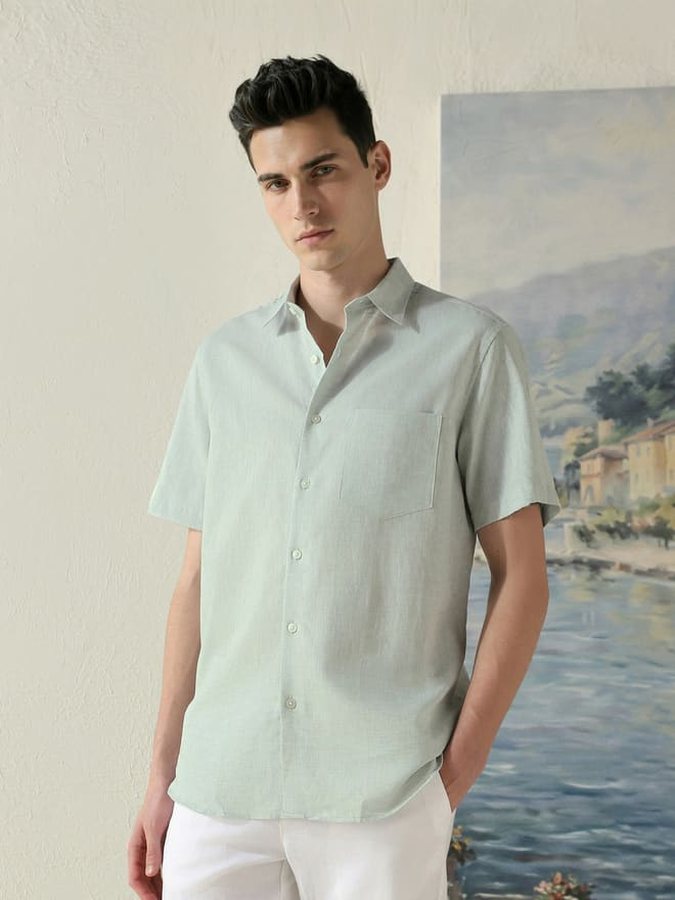
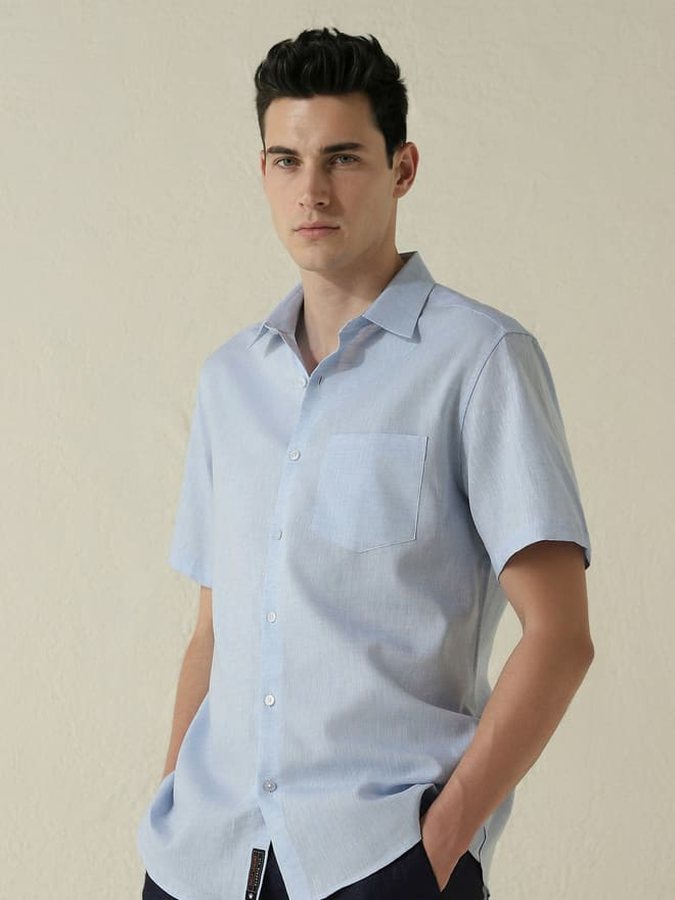
22,000+ images generated.
Tips for AI-generated frames
- Keep the head angle in the approved image close to the most common pose in the line.
- Generate the body with a clean neckline. Scarves and high collars over the jaw make the blend harder.
- One model per frame. A second person in the image is a different job.
- Keep the generated hair short or tied if you can. The hair is rebuilt from the approved head anyway.
- Save the approved head file with the line's name, so the next drop uses the same one.
Rights and labels
Use a face you're allowed to use: a model who has agreed, or a face you generated and own the rights to. Don't use a real person's likeness without their permission. This is general information, not legal advice.
Some marketplaces ask sellers to tag images with AI-made people, and some places require a label on ads. Headloom adds an "AI-edited" marker to the file's metadata. Check the rules where you sell.
Uploads are deleted within 24 hours of upload and results within 24 hours of being made. We never use photos or results to train AI models. The details are on the responsible use page.
Plans for a catalogue
A test of a few frames fits the free start: 5 free swaps when you sign up, during beta. A catalogue that ships every season fits a monthly plan. See pricing. For a large line, talk to us. For the photographed-catalogue version of this job, read how to change the model in product photos.
Questions
Why does my AI model's face change between images?
Image generators rebuild the whole picture each time, so small changes in the face add up across a catalogue. Prompts and reference images reduce drift but rarely remove it.
How does a head swap fix it?
You pick one approved head and swap it onto every frame. The face, hairline and hair come from that one file, so every image shows the same person.
Does the garment change?
No. Only the head region changes. The garment, pose, hands and background stay as they were, in high resolution, with no pixel shift.
Does it keep the generated hair?
No. The face and hair are rebuilt together from the approved head. It does not keep the original hair.
Can the approved face be a real person?
Yes, if that person has agreed. It can also be a face you generated and own the rights to.
Is there a free trial?
5 free swaps when you sign up, during beta. No card.