AI head swap with hair: how it works on fashion photos
An AI head swap with hair replaces the whole head, face, hairline and hair together, instead of pasting a new face inside the old haircut. On Headloom the hair is rebuilt to belong to the new model, while the garment, pose, hands, background and light stay exactly as shot. A swap takes about a minute.
Why "with hair" is the whole point
Most tools that call themselves a face swap stop at the jaw. They drop a new face inside the hair that was already there. For a profile picture that can pass. On a fashion photo it rarely does: a short crop under a long centre part, or a blonde hairline over a darker brow, reads as two people stitched together.
A head swap takes the wider region. The face, the hairline and the hair change together, and the skin is matched where the new head meets the neck. That is what people mean when they search for an AI head swap with hair. It is also what a catalogue needs, because the model's hair is part of who the model is.
On Headloom the hair is rebuilt to belong to the new model. It does not keep the original hair. The garment, the pose, the hands, the set and the light stay exactly as they were shot.
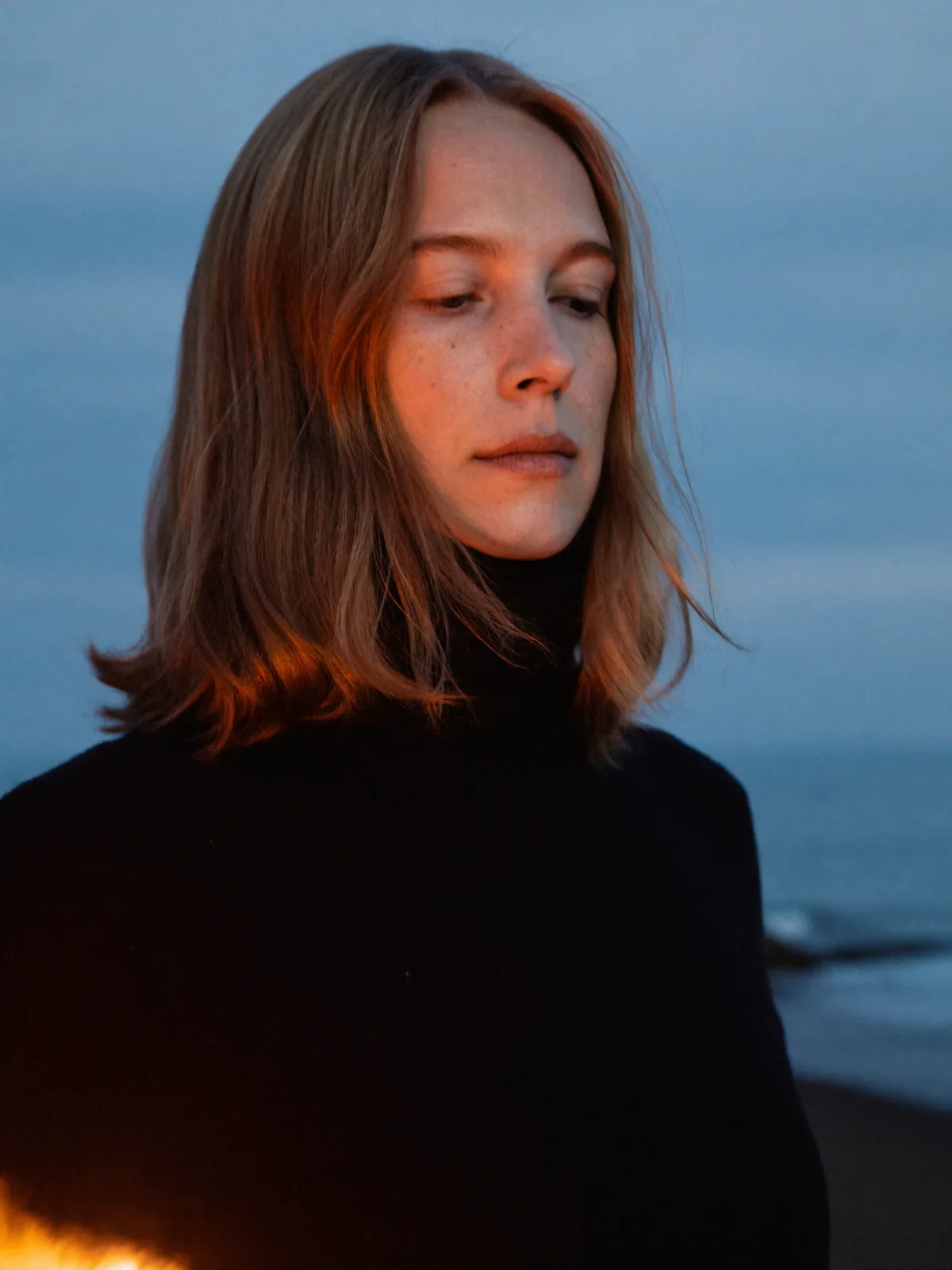
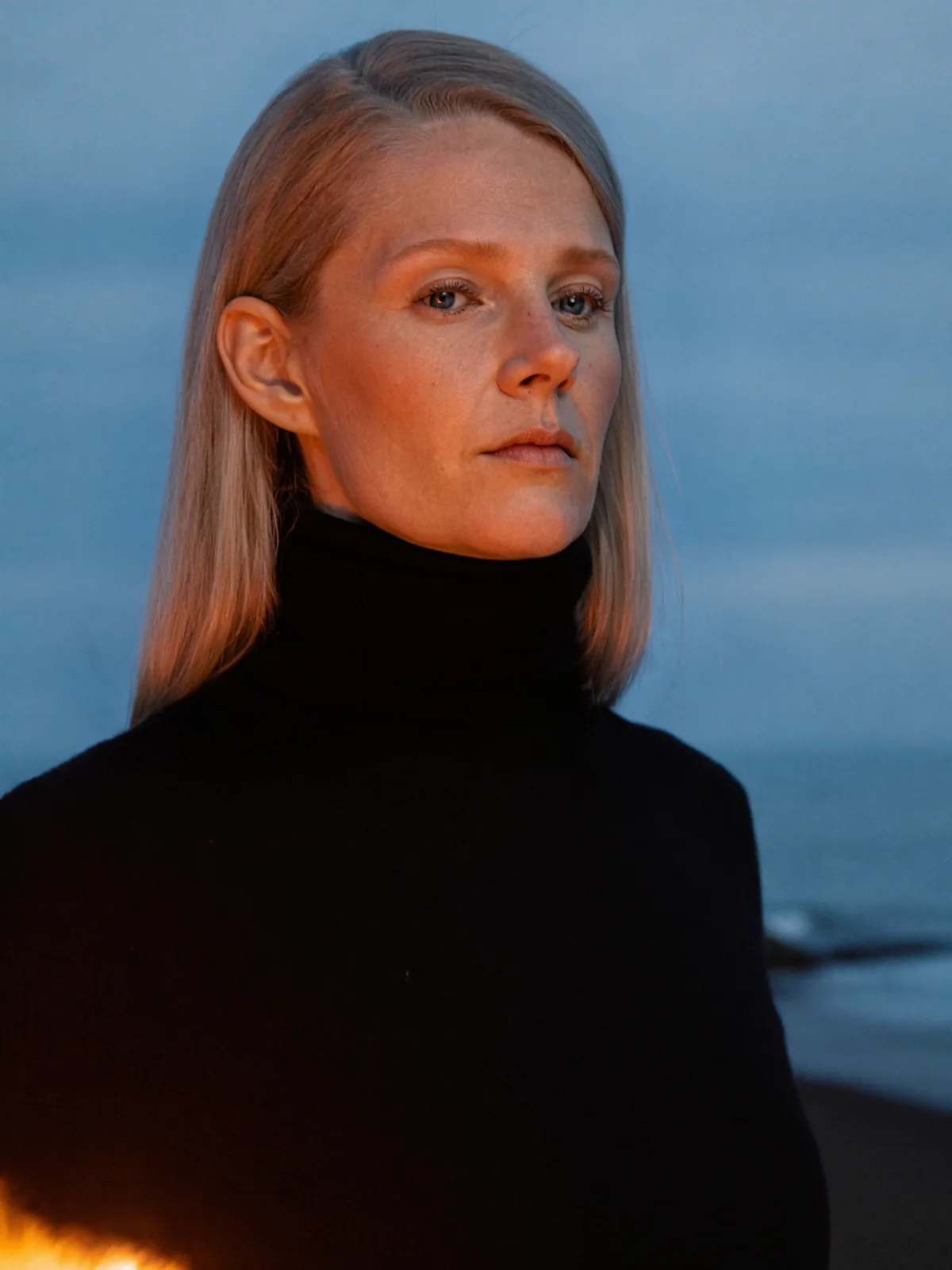
Black turtleneck at blue hour. The new hair sits on the shoulders of the same jumper, in the same light.
What actually happens in a swap
You upload two photos: the finished shot you want to keep, and a head photo of the model who should appear in it. Headloom finds the head, masks the hair and the neckline, builds the new head with its hair, and matches skin and light to the shot. Every photo is safety-checked. The whole thing takes about a minute, and you get one image back in the framing you sent.
There is no mask to paint and no prompt to write. If you have done this by hand, the head swap in Photoshop guide shows the manual route and where the hair edge eats the time.
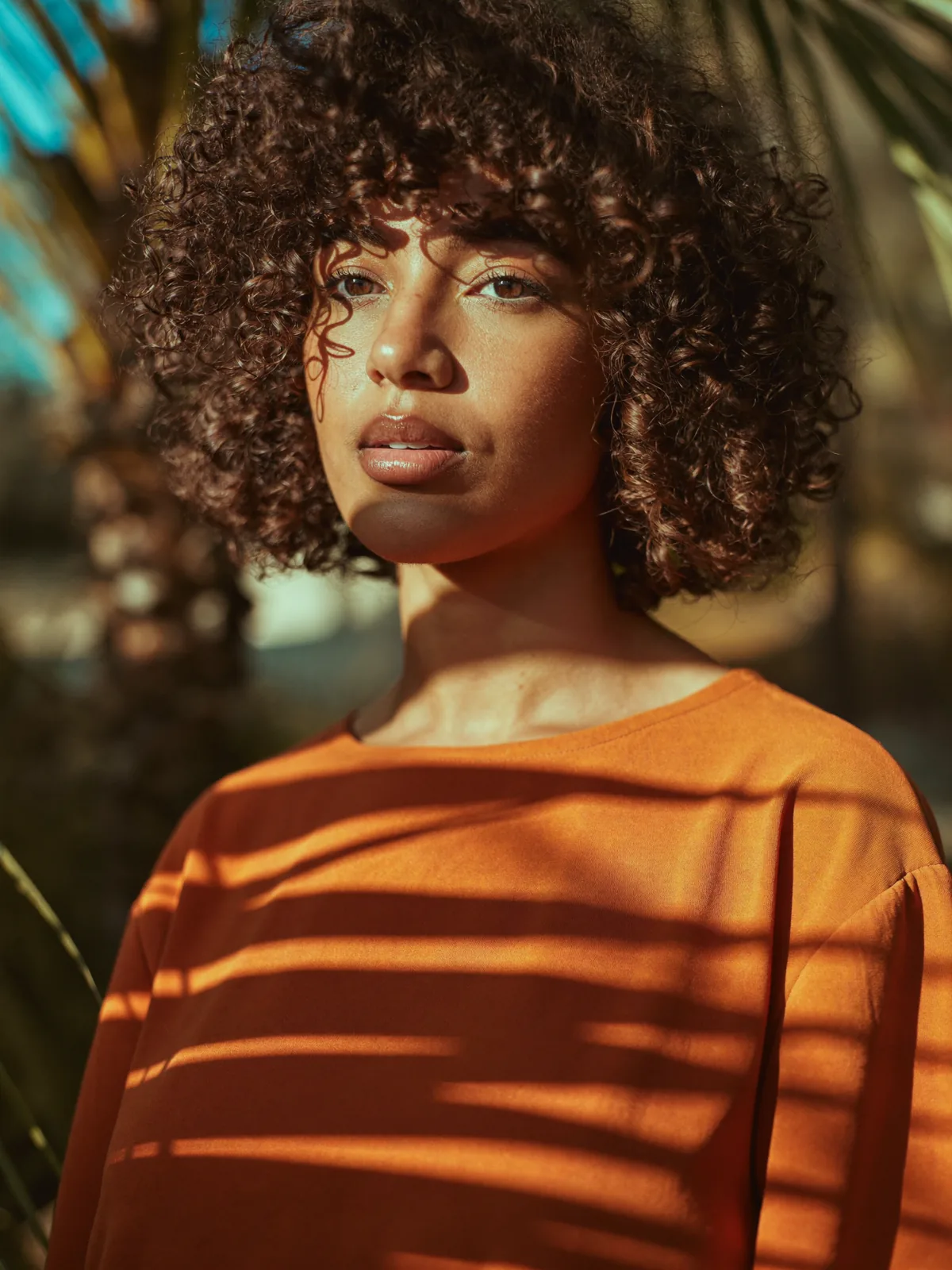
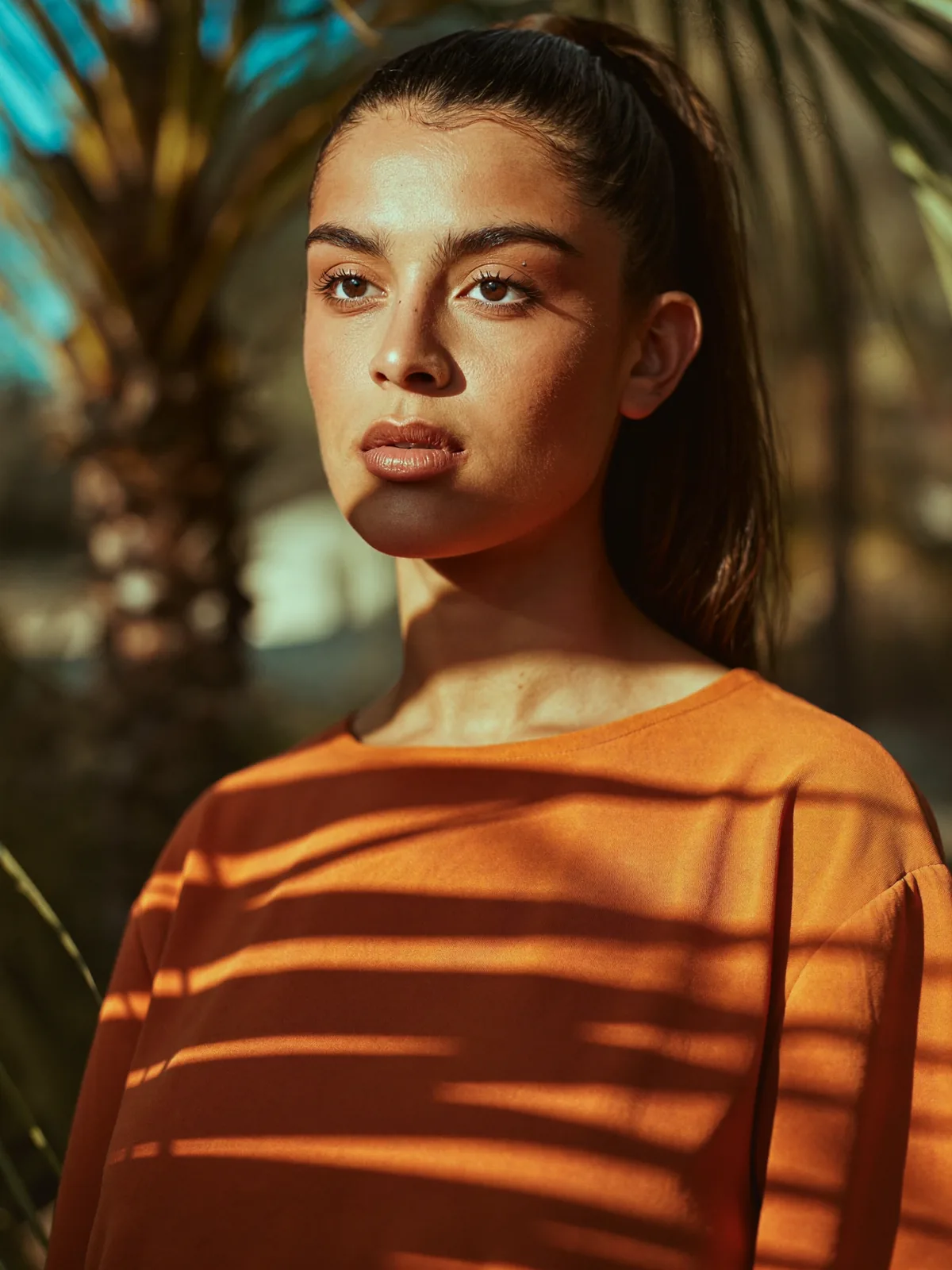
Orange striped sweater with palm shadows. The stripes and the shadow pattern stay where they were shot.
How to pick the head photo
The head photo decides the hair. Treat it like a casting card.
- Shoot it front-facing, with both eyes visible.
- Style the hair the way it should look in the final image. The swap follows the photo, so a messy bun in the head photo is a messy bun in the result.
- Keep the angle and the light close to the shot you are changing. Side light on the head photo and flat light on the product shot is the most common mismatch.
- Keep hair off the eyes and the mouth.
- One person in each photo.
If the new head has much longer or much shorter hair than the original model, look at the result where hair meets the shoulders and the collar. That is where a reviewer's eye goes first, and it is the area to check before a photo goes on a product page.
Where it needs a second try
Some shots are harder than others. These are the usual reasons for another attempt:
| Situation | What to do |
|---|---|
| A hat or a hood | Use a shot without one, or expect another try |
| A hand across the face or in the hair | Pick a frame where the hands are clear of the head |
| A very steep camera angle | Use a head photo taken from a similar angle |
| Hair over the eyes in the head photo | Retake the head photo with the face clear |
| Two people in the frame | Headloom works on one person per photo |
A simpler head photo fixes most of these. Video is not supported; Headloom works on photos.
Who uses a hair-included head swap
Catalogue and e-commerce teams use it when a frame is approved and only the model should change. Brands use it to put one approved model across a range, which is the job covered in keep one AI model face consistent across a catalogue. Studios and retouchers use it when a model cannot come back for another garment.
The same whole-head edit sits behind the face swap page. On Headloom both names give the same result: face and hair together. The face swap vs head swap guide explains why the two names usually mean different edits elsewhere.
Consent and privacy
Only use people who have agreed to it, in both photos, and keep a model release for anyone whose face you use. A live swap stays off until you confirm that. Public figures are refused. Uploads and results are deleted within 24 hours and never used to train AI models. The rules are on the responsible use page.
What the results are based on
22,000+ images generated. Results come back in high resolution, with no pixel shift. Louis Philippe uses Headloom for its shirt catalogue, with one approved face across every shirt.
Questions
Does an AI head swap change the hair?
Yes. A head swap replaces the face, the hairline and the hair together. On Headloom the hair is rebuilt to belong to the new head. It does not keep the original hair.
Where does the new hair come from?
From the head photo you upload. Use a head photo where the hair is styled the way you want it in the final image.
Will the garment or the pose change?
No. Only the head changes. The garment, pose, hands, background and light stay exactly as shot, in high resolution, with no pixel shift.
What makes a hair swap fail?
A hat, a hand across the face, hair over the eyes, or a very steep camera angle. A simpler head photo usually fixes it.
Can I keep the same model and hair across a whole catalogue?
Yes. Use the same approved head photo for every swap, and the same model, with the same hair, appears on every garment.
Is there a free way to try it?
5 free swaps when you sign up, during beta. The first has no watermark; the other four carry a small Headloom watermark. No card.